



Play piano notes, learn simple numbers, animals, and fruits, and enjoy a kid-friendly music activity online.

Here's a quick look at the game:
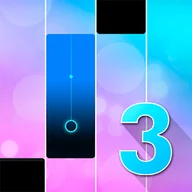
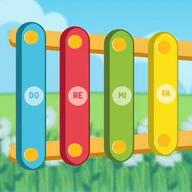
Piano Time 2 Html is a simple browser music game for kids. You play a virtual piano, listen to notes, and use the game’s learning elements to recognize basic numbers, animals, and fruits.
What You Do in the Game
The game focuses on easy music play rather than scoring or competition. You press piano keys, hear the sounds, and explore simple educational prompts.
It is designed for quick play sessions. You can open it in a browser, start clicking or tapping, and make short melodies without installing anything.
How to Play
Start by choosing or pressing the piano keys on the screen. Each key produces a sound, so younger players can learn through direct cause and effect.
The learning parts are simple: interact with the shown numbers, animals, or fruits, then listen and recognize them. The game works best as a light music-learning toy, not a serious piano trainer.
Controls
| Action | Control |
|---|---|
| Play piano keys | Mouse click |
| Play on mobile | Tap the screen |
| Interact with learning items | Click or tap |
Some versions may also support keyboard input, but mouse and touch controls are the clearest confirmed way to play.
Tips for Better Play
- Start with slow clicks so each note is easy to hear.
- Repeat the same 3-4 keys to make a simple melody.
- Let kids name the number, animal, or fruit before tapping it.
- Use full-screen mode if the piano keys feel too small.
- Keep sessions short for younger players so the game stays focused.
Best For
Piano Time 2 Html is best for young children, parents, and casual players who want a simple online piano activity. It is useful for sound exploration, basic rhythm practice, and early learning without rules that feel too strict.