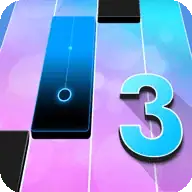





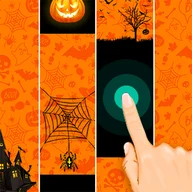
Piano Tiles 3 is a browser rhythm game where you tap black tiles to the beat, avoid white spaces, and build longer streaks.
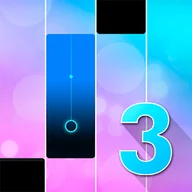
Here's a quick look at the game:
Piano Tiles 3 is a rhythm game where you tap black piano tiles as they move down the screen. Each correct tap keeps the music playing, while missed notes or wrong taps can break your run.
What You Do in the Game
You follow the song by pressing tiles in time with the beat. The screen is divided into lanes, and the tiles appear in patterns that match the music.
The main challenge is reading the next note quickly enough while staying accurate. As the song continues, patterns may become faster and harder to follow.
How to Play
Choose a track, wait for the tiles to appear, and tap each black tile as it reaches the hit area. Do not tap empty white spaces.
Some versions may include long notes. For those, press and hold until the tile ends instead of tapping once.
Controls
| Action | Control |
|---|---|
| Hit tile | Mouse click or tap |
| Hold long note | Press and hold |
| Choose song/menu option | Mouse click or tap |
Tips for Better Runs
- Focus on the hit zone near the bottom of the screen.
- Do not chase every tile with your eyes from the top; read the pattern as it approaches.
- Use headphones if timing feels unclear.
- Practice one song repeatedly instead of switching tracks every run.
- Stay relaxed during fast sections. Tense hands usually cause early taps.
Why Players Keep Playing
Piano Tiles 3 is satisfying because improvement is easy to feel. A song that first ends in a few seconds can become a full clear after a few attempts. It suits players who like music games, reaction tests, and short skill-based sessions.