







Tap colorful xylophone keys, hear notes, and make simple melodies in this kid-friendly browser music game.
Here's a quick look at the game:
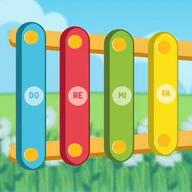
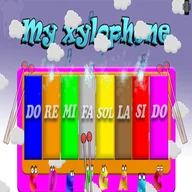
My Xylophone is a simple online music game where you play a colorful xylophone by clicking or tapping its keys. Each key makes a note, lights up, and triggers a small animation.
What You Do in the Game
There is no complex level goal. You choose keys, listen to their sounds, and create your own melody. The game is designed more for musical exploration than winning or losing.
On mobile versions, the keys may vibrate when touched, and the vibration can usually be turned off. This makes the game feel more interactive for younger players.
Controls
| Action | Control |
|---|---|
| Play a xylophone key | Left mouse button |
| Play on mobile | Tap a key |
| Full-screen play | Use the game page option if available |
Tips for Better Melodies
- Press keys in order first to learn the sound range.
- Repeat 3-4 notes to make a simple rhythm.
- Mix high and low notes instead of tapping randomly.
- Turn off vibration if it distracts the player.
- Let children match colors with sounds for easy learning.
Why It Works
My Xylophone is useful when you want a calm music activity that starts instantly. It is easy for kids to understand, and the light-up keys give clear feedback after every touch.